



Monkeyzino Casino Login and Registration
Current members use the Monkeyzino login to reach their accounts. New users must complete the sign up steps to build a profile for real money games. Completing the account registration is fast because it only requires an email address and basic personal data. Funding a balance for play becomes possible once the profile is active. This also opens up the full list of site promotions and tournaments.



Become a Monkeyzino Player
Registering an account provides access to every part of Monkeyzino Casino. New members can look through the available games or make an initial deposit to get the welcome offer of up to €1,500 and 250 free spins. This credit allows for additional sessions in the slot and live dealer sections.
User profiles function as a management tool for deposits and tracking betting history. Monkeyzino operates as a social environment where players pick a username to join competitions from Pragmatic Play and other developers. Payout details and associated usernames appear in a public feed when a jackpot is won.
Registration Steps
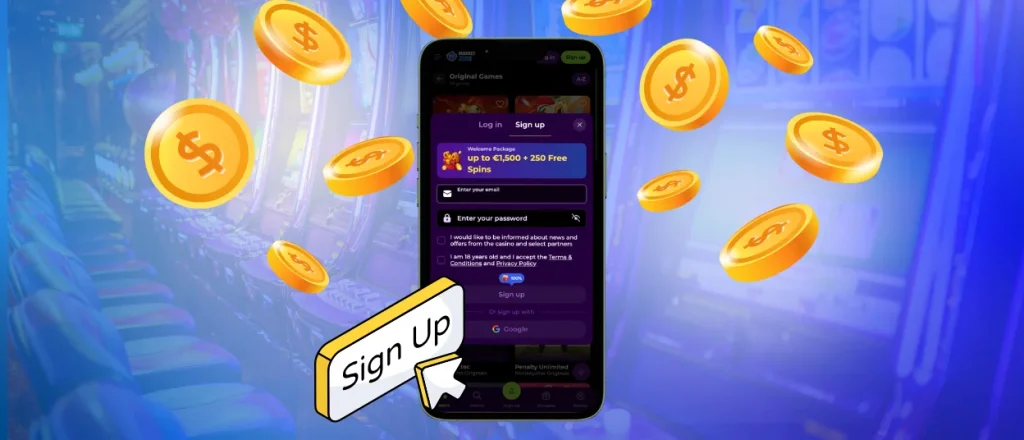
The Monkeyzino registration process involves a form for standard personal data and contact information. This information creates a profile ready for immediate use. These specific steps are required to join the platform.
- Click the green Sign Up button to open the Monkeyzino register window.
- Input the email address and password intended for account access.
- Select the boxes to verify you are at least 18 and agree to the platform terms.
- Provide information like your name and birth date along with a phone number.
The date of birth remains fixed once the form is submitted so verifying the accuracy of this data is important. Access to the new profile begins immediately after the account is created. The Monkeyzino login page is skipped during this initial session.
Sign In to Your Account
Accessing the casino on any device occurs through the Monkeyzino login page. A user login requires an email address and a password. Two-factor authentication involves entering a specific code from a separate app alongside standard credentials. Successful entry displays a dashboard in the upper right corner of the screen. The same account tools are available through the Monkeyzino app for mobile sessions. This area shows the profile icon and the current balance. From this point, players can navigate to the game library or adjust account settings.
| Action | Section to visit | Description |
| Manage payments | Wallet | Handle deposits and withdrawals or select currencies for transactions |
| View bet and transfer info | History | Review betting information and track bonus expiration dates |
| Adjust account settings | Profile | Set gaming limits and choose notification preferences or add security layers |
| Invite others to the site | Invite friends | Credits between €10 and €1,000 are awarded for each referral moving through the loyalty tiers |
Monkeyzino Password Recovery
An invalid credentials error during a login attempt often points to a forgotten password. Players can find the “Forgot password?” button located directly under the entry fields on the Monkeyzino login page. Selecting this tool triggers a reset link sent to the registered email address. Opening that link allows for a quick return to the gaming account. Any recovery email that arrives without a user request should be ignored. Monkeyzino Casino suggests updating the current password or activating two-factor authentication to maintain high security levels.
How Verification Works
Verification is a mandatory requirement before an initial withdrawal on the platform. This process allows for the confirmation that the profile belongs to a legal adult. Users need to upload clear document photos to the dedicated area in their profile. Necessary files include a government-issued ID and proof of residence. Most participants use a bank statement or a utility bill for this purpose. Ownership of the payment method also requires an identity check to make certain that funds reach the actual owner. A photo of a bank card or a screenshot from an e-wallet fulfills this requirement.
The KYC team reviews these files within a 48-hour period. Monitoring the progress is possible directly through the account dashboard. Regarding the safety of the uploads, the following protocols are in place:
- Monkeyzino Casino applies GDPR standards to process your personal data.
- The platform locks your files safely in your account with 256-bit encryption to keep everything private.
- Users can request the deletion of any information that the AML policy does not require. It is also possible to ask what specific details are held and when they expire.
After account approval is received, the collection of winnings from Monkeyzino Casino becomes available. A repeated identity check only happens in specific cases, such as when registered details are changed.
FAQ
Can the platform log me out from all devices automatically?
Every active session across all devices can be terminated with a single click. This function is found in the security tab of the user profile. Information regarding active and closed sessions as well as the specific hardware used for access is available in the same section.
Is two-factor authentication available for my account?
Two-factor authentication is an option for every Monkeyzino Casino player. When this feature is active in the settings, it requires a temporary code from a mobile app for each user login attempt. This security layer prevents access even if the standard account credentials are compromised. Please contact our support team if there is any delay during your Monkey Zino login attempt.
Can I try games in demo mode before I register?
The demo mode for slots and crash titles is available to users who have not yet registered. Transitioning to real money play and withdrawing funds requires a completed create account step and a Monkeyzino casino login.


